Footer

    Download on the App StoreGet it on Google Play

    Giới thiệu

    • Tìm hiểu về VoiceTube
    • Giới thiệu dịch vụ học tập
    • Tham gia cùng chúng tôi
    • Câu hỏi thường gặp
    • Chủ đề tìm kiếm hot

    Tổng quan dịch vụ

    • Sổ từ vựng và câu
    • Campus
    • Tra từ điển
    • Nhập video và tạo phụ đề

    Kênh nổi bật

    Phân cấp video

    • A1 sơ cấp
    • A2 sơ cấp
    • B1 trung cấp
    • B2 trung cao cấp
    • C1 cao cấp
    • C2 thành thạo

    Quyền riêng tư˙Điều khoản˙
    ©2026 VoiceTube Corporation. All rights reserved

    aspect ratio

    US

    ・

    UK

    B2 trung cao cấp
    n.danh từTỷ lệ khung hình (trong hình ảnh)
    The aspect ratio of this monitor is 16:9.

    Phụ đề video

    Cách khắc phục NGAY LẬP TỨC sự cố tỷ lệ khung hình Gemini 'Nano Banana' khi tạo ảnh (How to INSTANTLY Fix Gemini 'Nano Banana' Aspect Ratio Problems When Creating Images)

    07:36Cách khắc phục NGAY LẬP TỨC sự cố tỷ lệ khung hình Gemini 'Nano Banana' khi tạo ảnh (How to INSTANTLY Fix Gemini 'Nano Banana' Aspect Ratio Problems When Creating Images)
    • Essentially it is difficult or maybe impossible to get the correct aspect ratio that is based on your prompt.

      Về cơ bản, việc xác định tỷ lệ khung hình chính xác dựa trên yêu cầu của bạn là rất khó khăn, thậm chí có thể là không thể.

    • Essentially, it is difficult or maybe impossible to get the correct aspect ratio that is based on your prompt.

      Về cơ bản, việc xác định tỷ lệ khung hình chính xác dựa trên yêu cầu của bạn là rất khó khăn, thậm chí có thể là không thể.

    B1 trung cấp

    Hướng dẫn Auto Layout Figma cho người mới bắt đầu (2025) (Figma Auto Layout Tutorial for Beginners (2025))

    08:51Hướng dẫn Auto Layout Figma cho người mới bắt đầu (2025) (Figma Auto Layout Tutorial for Beginners (2025))
    • This arranges your elements vertically The third one is Horizontal It arranges your elements horizontally The fourth one is Grid This is a new update still in beta It allows you to edit the layout in a grid format We'll go over each of these in detail Don't worry, by the end of this video, you'll understand how to use every single button here Let us start with the Freeform setting You'll see W and H right below this button W stands for Width and H stands for Height You can use these fields to adjust the size of your element You can type in a number, hover over the letter and drag to change it Or do it the most organic way Hover over the edge of the element and drag until you see a number you like I like multiples of 4 To the right, you'll see a square icon If you click it, it locks the aspect ratio of the element So the width and height stay proportional Let's say you are redesigning a YouTube thumbnail A YouTube thumbnail has a specific aspect ratio So locking it can prevent your cat, your kid, and mostly you from messing it up One very, very important thing Make sure you select the right layer In a real design project, you'll have so many layers So if you want to lock the aspect ratio of this circle, let's say Make sure to select the circle, not the frame That way, your circle will stay perfectly as a circle Not too fat, not too short Below Width, you'll find a field to adjust the gap between elements This only appears in freeform mode when your elements share the same gap At the bottom, you'll see the clip content checkbox This is super helpful when your frame is smaller than the elements inside For example, in a carousel design Checking clip content will hide the parts of the elements that extend outside the frame Alright, next let's move on to vertical and horizontal layouts These two are really similar So let's take a look at the horizontal one When you select a horizontal layout A wrap icon will appear on the right If you click it, the elements inside the frame will automatically wrap into multiple rows Perfect for when there's not enough space in a single line Below that, you'll see width and height settings Each with a drop-down If you click the drop-down, you can set the size to hug This makes the frame automatically adjust to fit its contents For example, if you add a new circle to the frame The width will automatically expand to hug the new element You can also set minimum or maximum values for width and height Let's say you don't want the frame to be wider than 750 pixels Just set the max width to 750 And even if you add more elements, the frame won't go beyond that limit Right below width, you'll see nine alignment options for your elements inside the frame These let you align your content to the top, center, bottom, left, right Basically any corner or edge you want You might not notice much difference right now if your frame is hugging the elements But once the frame is bigger, this alignment will become very obvious Next is the gap setting Click the drop-down and you'll see an option to set it to auto This automatically adjusts the space between elements to fill the frame evenly So satisfying to see everything snap into place Below that are your padding settings Padding is the space between the edge of the frame and the element inside it By default, padding is applied equally on parallel sides But if you click the little toggle next to it, you can customize the padding for each side Just like this Next, let's move to grid A brand new and still in beta feature in Figma Alright, I have a love-hate relationship with this, okay?

      Điều này sắp xếp các yếu tố của bạn theo chiều dọc. Tùy chọn thứ ba là Horizontal. Nó sắp xếp các yếu tố của bạn theo chiều ngang. Tùy chọn thứ tư là Grid. Đây là bản cập nhật mới vẫn đang ở giai đoạn beta. Nó cho phép bạn chỉnh sửa bố cục theo định dạng

    • If you click it, it locks the aspect ratio of the element, so the width and height stay proportional.
    B1 trung cấp

    Will Arnett nói về Hài độc thoại, ‘Is This Thing On?’ và Nhìn lại sự nghiệp (Will Arnett on Stand-Up Comedy, ‘Is This Thing On?,’ and Career Reflections)

    18:54Will Arnett nói về Hài độc thoại, ‘Is This Thing On?’ và Nhìn lại sự nghiệp (Will Arnett on Stand-Up Comedy, ‘Is This Thing On?,’ and Career Reflections)
    • All of that we chose that very specific 1/661 aspect ratio.

      Ý tôi là, tôi cảm thấy như cô ấy làm điều đó mỗi năm với một bộ phim khác nhau.

    • All of that, you know, we chose that very specific one six, six, one aspect ratio.

      Tất cả những điều đó, bạn biết đấy, chúng tôi đã chọn tỷ lệ khung hình một sáu, sáu, một rất cụ thể.

    A2 sơ cấp

    Đánh giá Google Pixel 10A: Chưa từng thấy điều này trước đây (Google Pixel 10A Impressions: (Never) Seen This Before)

    08:31Đánh giá Google Pixel 10A: Chưa từng thấy điều này trước đây (Google Pixel 10A Impressions: (Never) Seen This Before)
    • So that pixel 10a's display is the same size, resolution, refresh rate, pixel density, aspect ratio, hole punch, fingerprint reader and everything.

      Vậy màn hình của Pixel 10a có cùng kích thước, độ phân giải, tần số quét, mật độ điểm ảnh, tỷ lệ khung hình, lỗ khoét, đầu đọc vân tay và mọi thứ khác.

    • So that Pixel 10a's display is the same size, resolution, refresh rate, pixel density, aspect ratio, hole punch, fingerprint reader, and

      Vậy màn hình của Pixel 10a có cùng kích thước, độ phân giải, tần số quét, mật độ điểm ảnh, tỷ lệ khung hình, lỗ khoét, đầu đọc vân tay và mọi thứ khác.

    B1 trung cấp

    Nano Banana Pro Vừa Làm Nổ Tung Internet (Hướng Dẫn Duy Nhất Bạn Cần) (Nano Banana Pro Just Broke the INTERNET (The Only Guide You Need))

    07:36Nano Banana Pro Vừa Làm Nổ Tung Internet (Hướng Dẫn Duy Nhất Bạn Cần) (Nano Banana Pro Just Broke the INTERNET (The Only Guide You Need))
    • and how it can finally have native 2K outputs with the option to upscale those up to 4K, as well as the ability to finally resize your images to any aspect ratio.

      và cách nó cuối cùng có thể có đầu ra 2K gốc với tùy chọn nâng cấp lên 4K, cũng như khả năng cuối cùng để thay đổi kích thước hình ảnh của bạn theo bất kỳ tỷ lệ khung hình nào.

    • as well as the ability to finally resize your images to any aspect ratio.
    B1 trung cấp

    OpenAI DevDay 2025: Bài phát biểu khai mạc của Sam Altman (OpenAI DevDay 2025: Opening Keynote with Sam Altman)

    52:39OpenAI DevDay 2025: Bài phát biểu khai mạc của Sam Altman (OpenAI DevDay 2025: Opening Keynote with Sam Altman)
    • You get to control video length, aspect ratio, resolution, easily remix videos.

      Bạn có thể kiểm soát độ dài video, tỷ lệ khung hình, độ phân giải, dễ dàng phối lại video.

    • You get to control video length, aspect ratio, resolution, easily remix videos.
    A2 sơ cấp

    Xin Hãy Ngừng Lãng Phí Tiền Vào Những Camera Hành Trình TỆ Hại (Please Stop WASTING Money on CRAPPY Dashcams)

    18:27Xin Hãy Ngừng Lãng Phí Tiền Vào Những Camera Hành Trình TỆ Hại (Please Stop WASTING Money on CRAPPY Dashcams)
    • The squarish 4.3 aspect ratio is probably going to be a love it or hate it thing, but

      Tỷ lệ khung hình vuông 4.3 có lẽ sẽ là thứ bạn yêu hoặc ghét, nhưng

    • The squarish 4x3 aspect ratio is probably going to be a love-it-or-hate-it thing,

      Đó là lúc Thinkware U3000 xuất hiện.

    B1 trung cấp

    Cách Tạo Video Hoạt Hình Bằng AI: Hướng Dẫn Từng Bước (How to Make an Animated Cartoon Video Using AI: Step-by-Step Tutorial)

    10:15Cách Tạo Video Hoạt Hình Bằng AI: Hướng Dẫn Từng Bước (How to Make an Animated Cartoon Video Using AI: Step-by-Step Tutorial)
    • You can also change the aspect ratio from here.

      Bên trong Design AI, có một mô hình hình ảnh mới gọi là Nanobanana và nó thực sự ấn tượng.

    • You can also change the aspect ratio from here.

      Bạn cũng có thể thay đổi tỷ lệ khung hình từ đây.

    B1 trung cấp

    Đánh giá Màn hình Siêu rộng LG 34WP65C-B 34 inch (LG 34WP65C-B 34" Ultrawide Monitor Review)
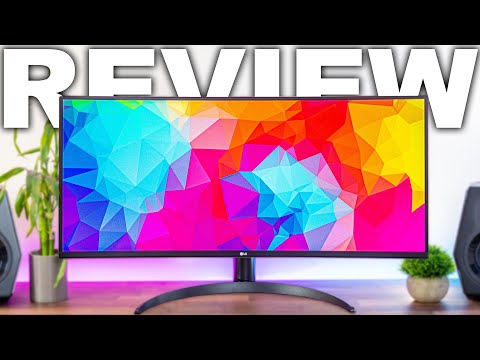
    12:43Đánh giá Màn hình Siêu rộng LG 34WP65C-B 34 inch (LG 34WP65C-B 34" Ultrawide Monitor Review)
    • So it's just gonna be a typical 1440p resolution with those extra pixels on the left and right because of the ultrawide 21 by 9 aspect ratio.

      Vậy nên, đây sẽ là độ phân giải 1440p tiêu chuẩn, với các pixel bổ sung ở hai bên trái và phải do tỷ lệ khung hình siêu rộng 21:9.

    • So it's just going to be a typical 1440p resolution with those extra pixels on the left and right because of the ultrawide 21 by 9 aspect ratio.

      Điều này có PPI (số điểm ảnh trên inch), vì vậy hình ảnh, văn bản hoặc trò chơi sẽ sắc nét và rõ ràng như thế nào.

    B1 trung cấp

    DJI MAVIC 4 Pro | Gimbal Infinity 6K TUYỆT ĐỈNH... Đáng để chờ đợi! (DJI MAVIC 4 Pro | STUNNING 6K Infinity Gimbal...Worth the wait!)

    08:38DJI MAVIC 4 Pro | Gimbal Infinity 6K TUYỆT ĐỈNH... Đáng để chờ đợi! (DJI MAVIC 4 Pro | STUNNING 6K Infinity Gimbal...Worth the wait!)
    • Also if you're filming in that vertical aspect ratio for socials you can twist the seven inch screen for a better view and the gimbal follows suit.

      Ngoài ra, nếu bạn quay ở tỷ lệ khung hình dọc cho mạng xã hội, bạn có thể xoay màn hình bảy inch để có góc nhìn tốt hơn và gimbal cũng làm theo.

    • Also, if you're filming in that vertical aspect ratio for socials, you can twist the seven-inch screen for a better view and the gimbal follows suit.

      Điểm gốc sẽ được cập nhật liên tục theo vị trí của bộ điều khiển từ xa.

    B2 trung cao cấp